Snapchat Planets: Order, Meaning & Friend Solar System Explained
The Friend Solar System is a visual badge that maps your closest connections into a space theme. It appears on a Friendship Profile when you and a friend rank as Best Friends. You may notice a gold ring around the Best Friends badge.
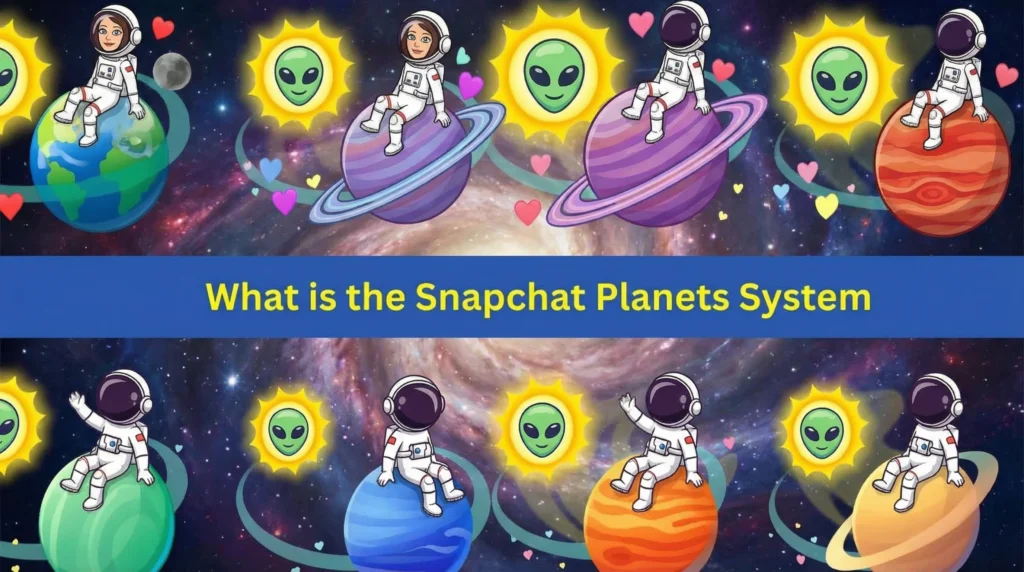
This view focuses on your top eight friends based on interaction. It uses a Sun at the center with planets orbiting. The closer the planet, the stronger the recent bond.
How Snapchat’s Friend & Planet System Works
The app assigns each friend a position using engagement signals across Snap and Chat. It also weighs Story views, replies, and other direct actions. Voice calls and video calls can also affect closeness.
You do not pick the order yourself. The ranking shifts when habits change, like fewer messages or more snaps. Each Friendship Profile shows the planet you represent in that friend’s universe.
Snapchat Planets Order & Meanings
The planets follow the real solar system order from Mercury to Neptune. Each one matches a numbered spot from one to eight on the Best Friends list. Think of it as a quick visual for who you interact with most.
The model stays private to subscribers who have the feature enabled. Friends do not see a public leaderboard. You only see planet status when you open a friend’s profile.
Mercury
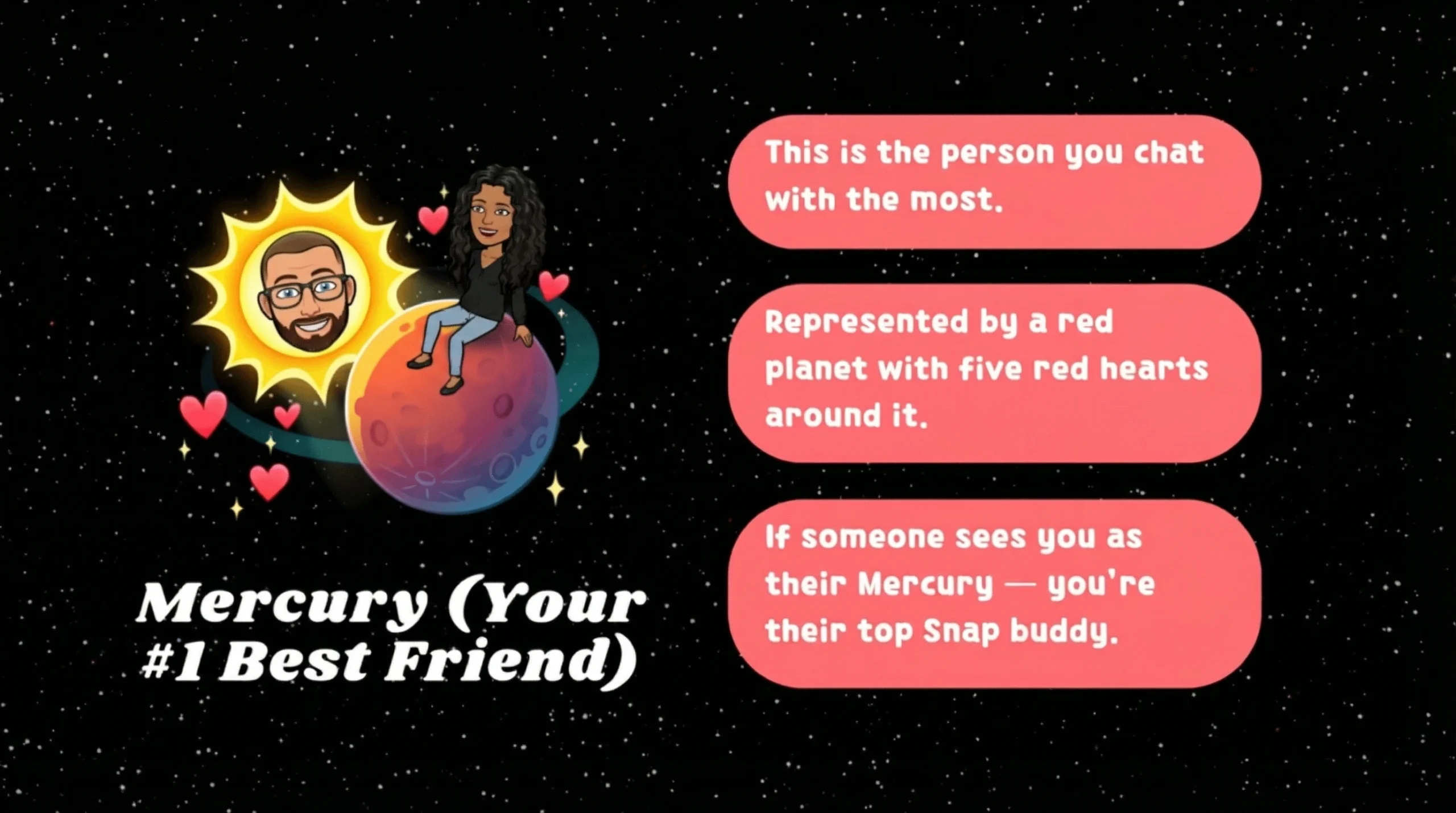
Mercury means you are their number one Best Friend. You sit closest to the Sun in their system. This usually reflects steady snaps, frequent chats, and fast replies.
People often see Mercury during strong streak periods. It can also appear when you share many direct snaps. If your activity drops, the position can change.
Venus
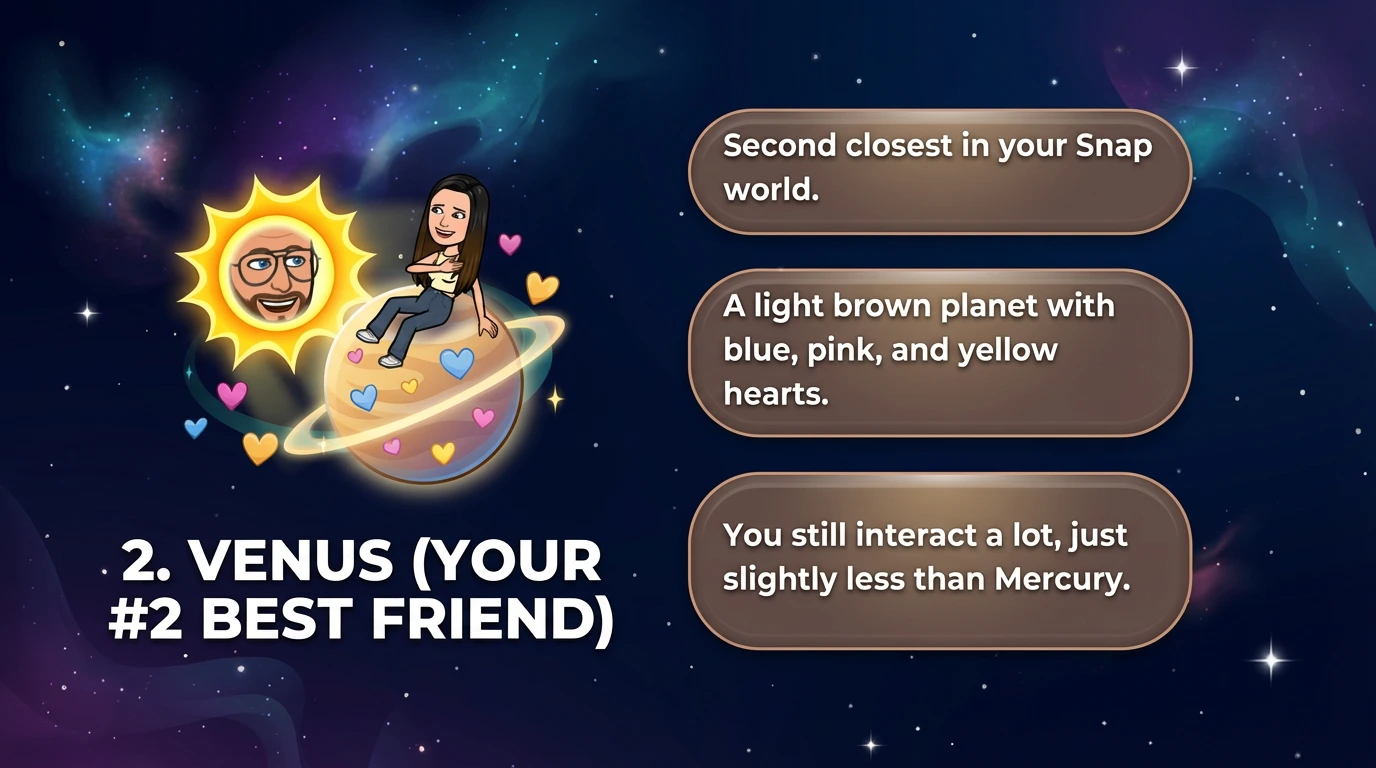
Venus means you are their second closest Best Friend. You stay very close to the center. You likely talk often, but someone else edges you out.
This spot fits close friends who connect almost daily. You may share streaks, stories, and quick chats. One busy week can push you outward.
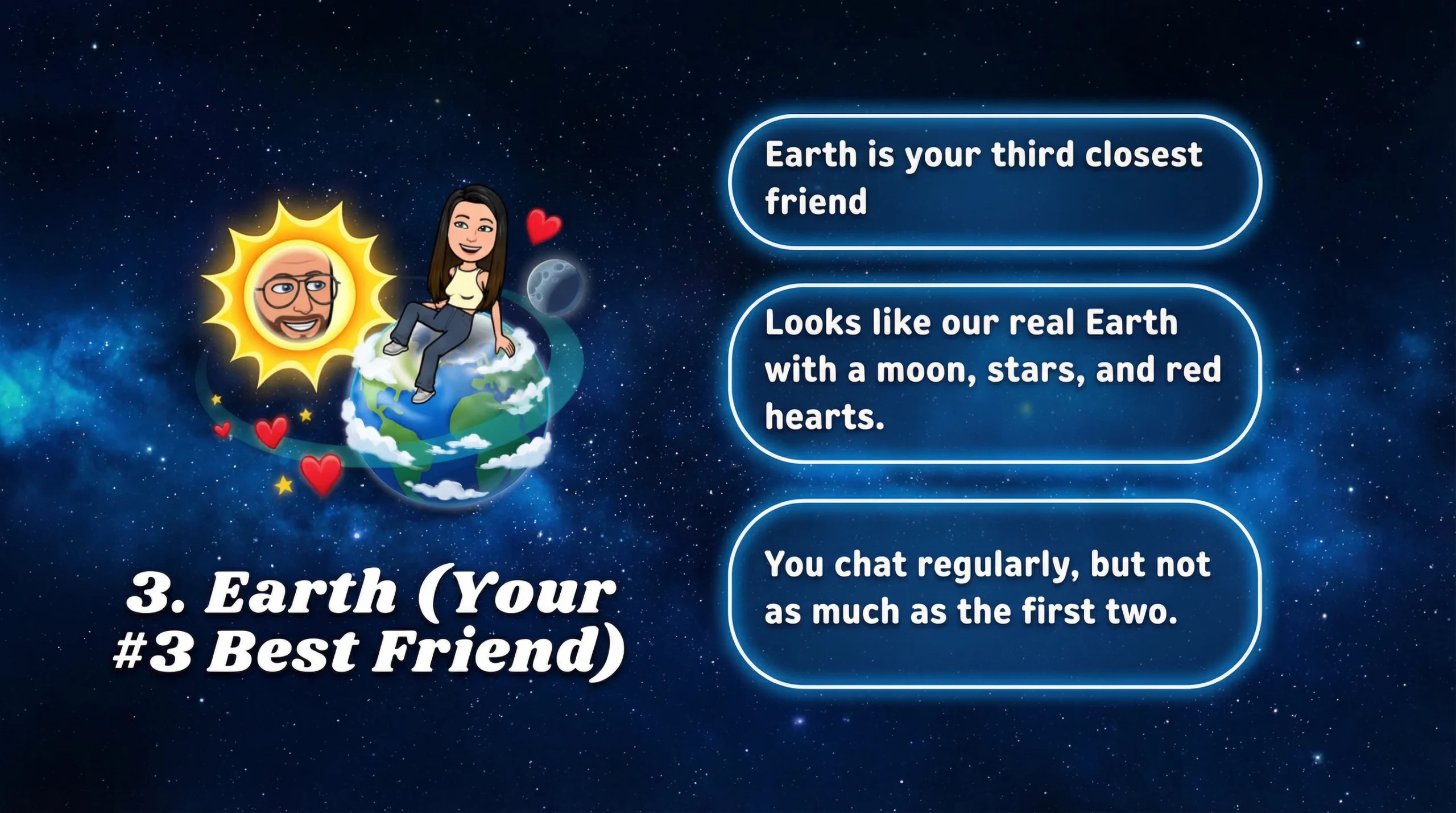
Earth
Earth means you are their third Best Friend. You sit behind the top two in orbit distance. Your connection stays active, but less intense.
This often matches friends who chat a lot but not all day. Story replies and reactions can keep you here. Consistency matters more than one big day.
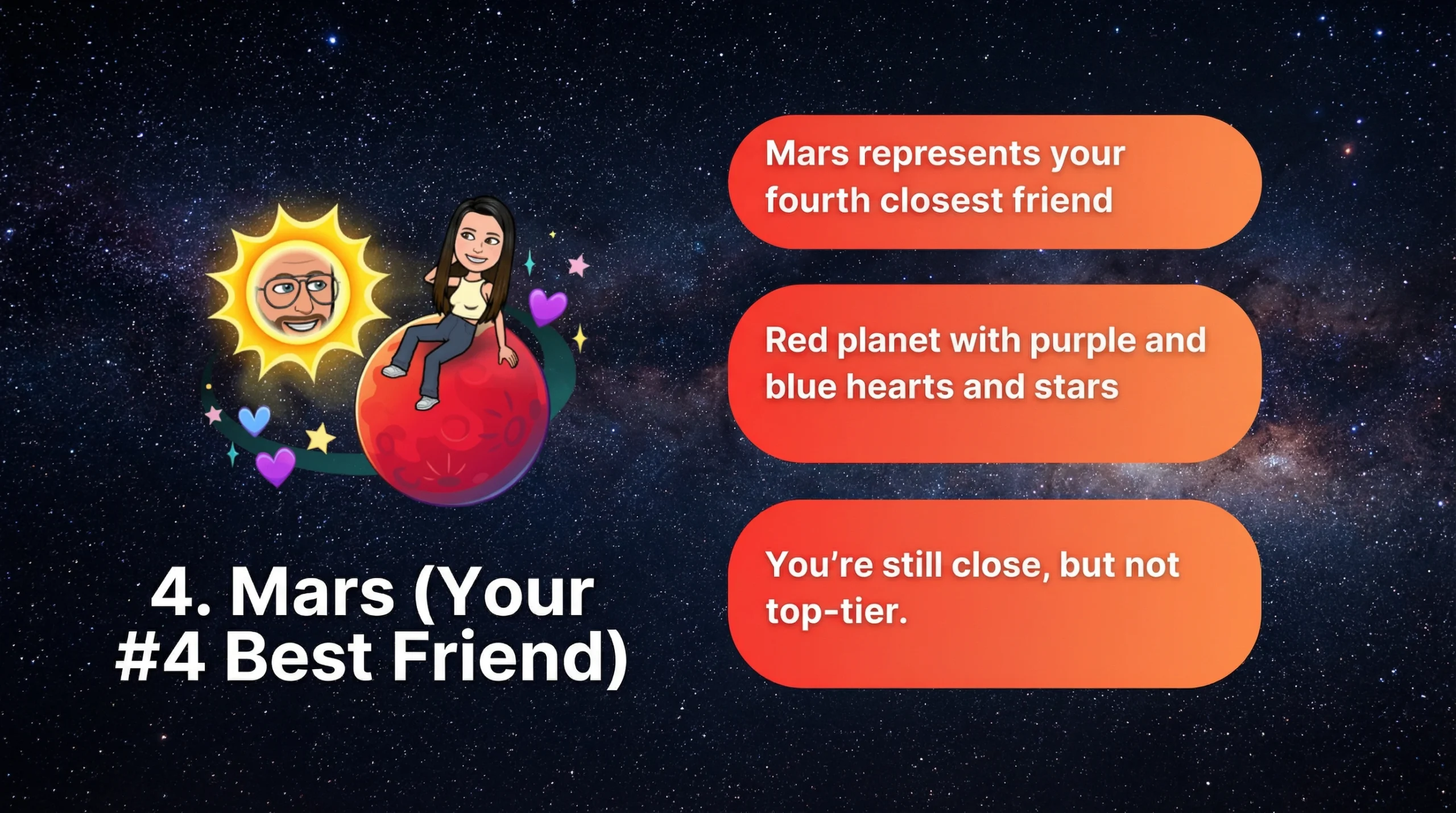
Mars
Mars means you are their fourth Best Friend. The bond feels solid, but not top tier. You still show up in their close circle.
This spot often reflects regular snaps with gaps. You may message in bursts, then go quiet. More direct chats can pull you closer again.
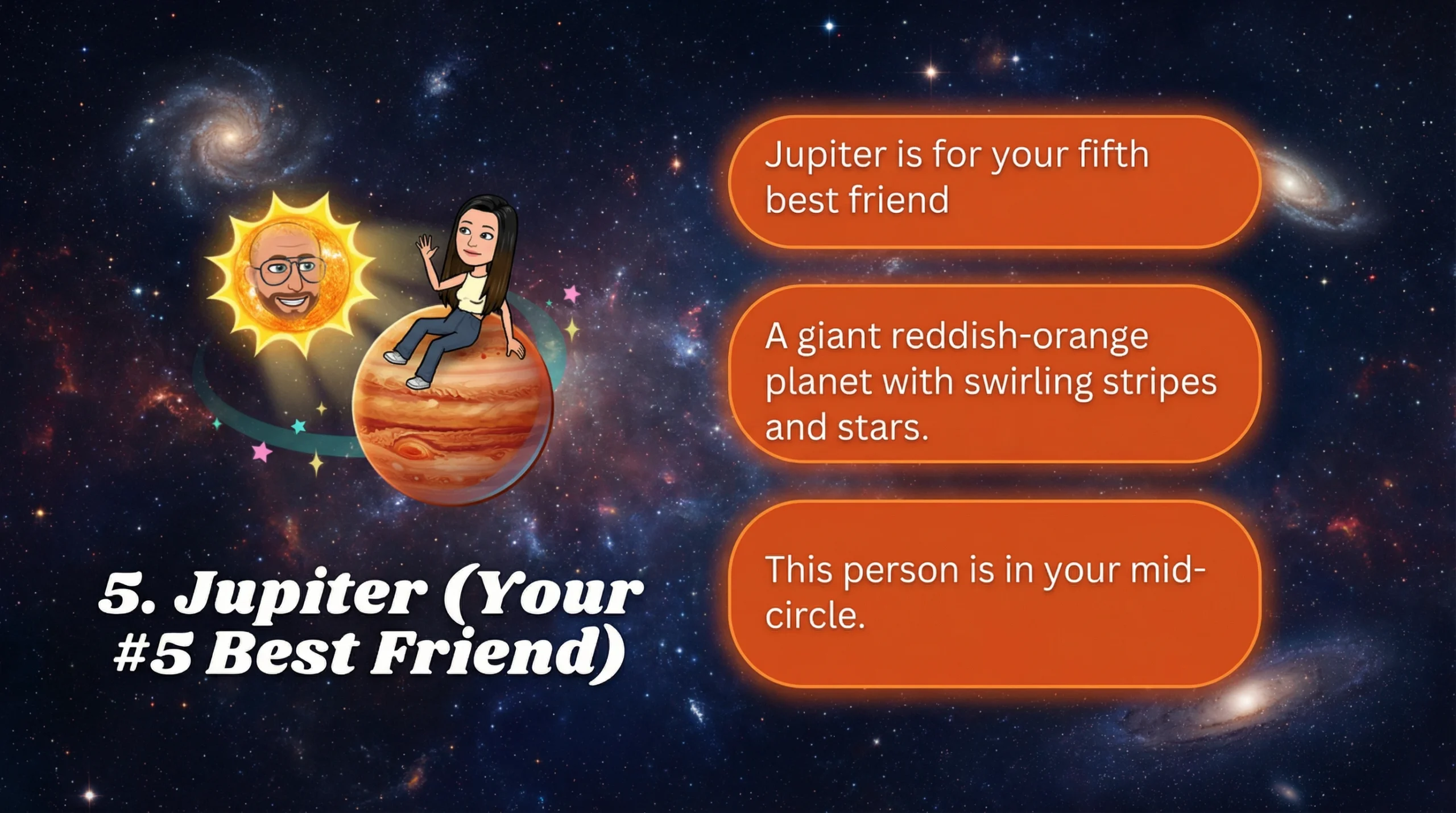
Jupiter
Jupiter means you are their fifth Best Friend. You play an important role, even without daily contact. The friendship can feel big, but spaced out.
Many people see Jupiter with friends they enjoy and trust. They interact fairly often, but not nonstop. A few strong weeks can move you inward.
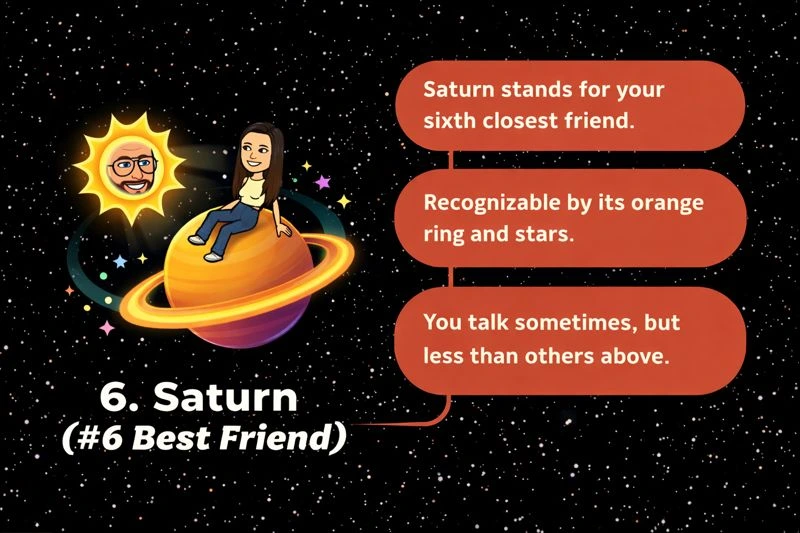
Saturn
Saturn means you are their sixth Best Friend. The ringed planet often signals a long standing connection. You keep in touch, but not every day.
This fits friends who still matter even with quieter chats. Occasional snaps and replies can maintain the spot. Long gaps can push you farther out.
Uranus
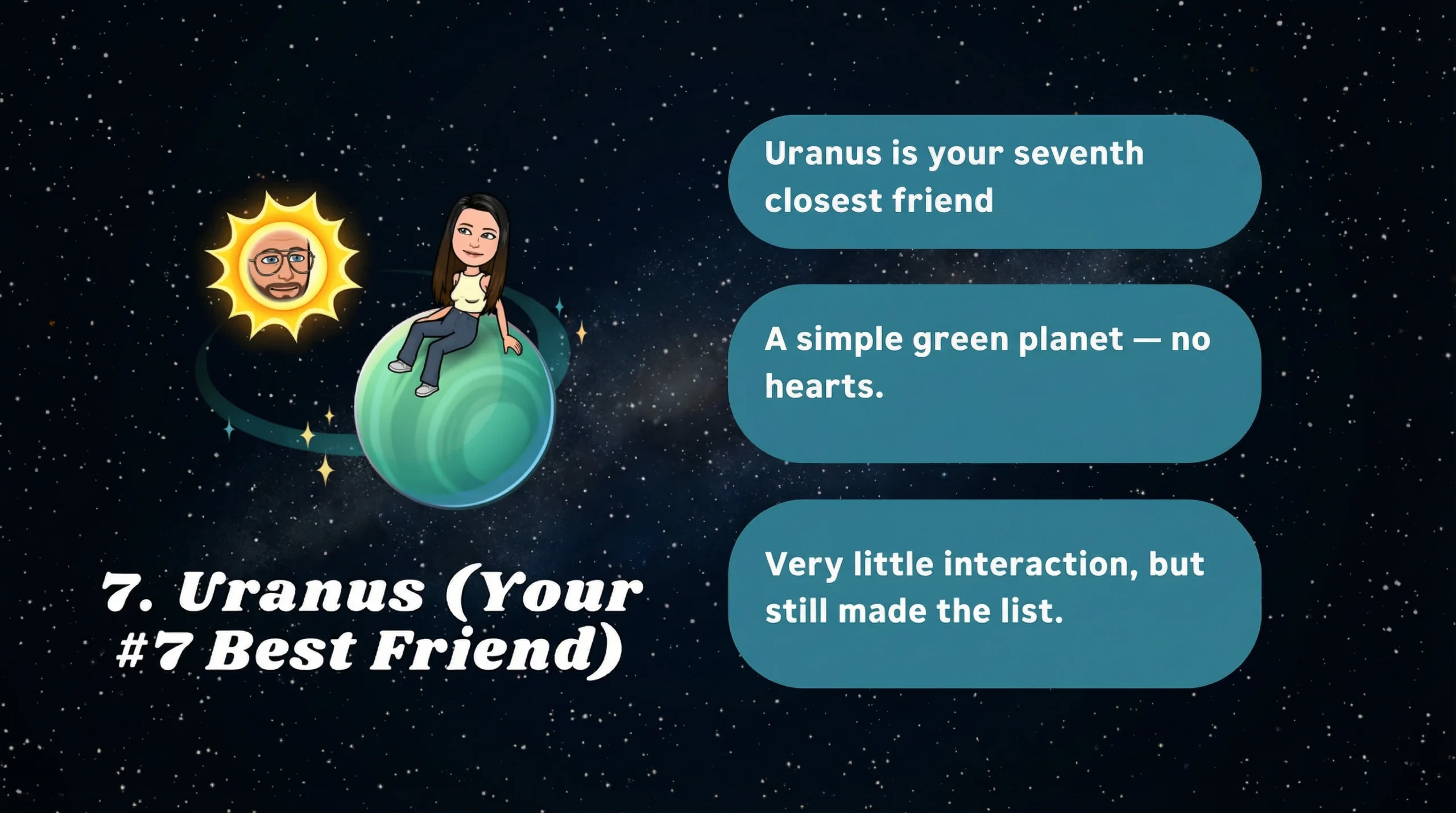
Uranus means you are their seventh Best Friend. You may connect in a casual, inconsistent way. You still make the top eight, but barely.
This often happens with friends who check in once in a while. Their overall activity level also affects the ranking. If they snap many people, this spot shifts faster.
Neptune
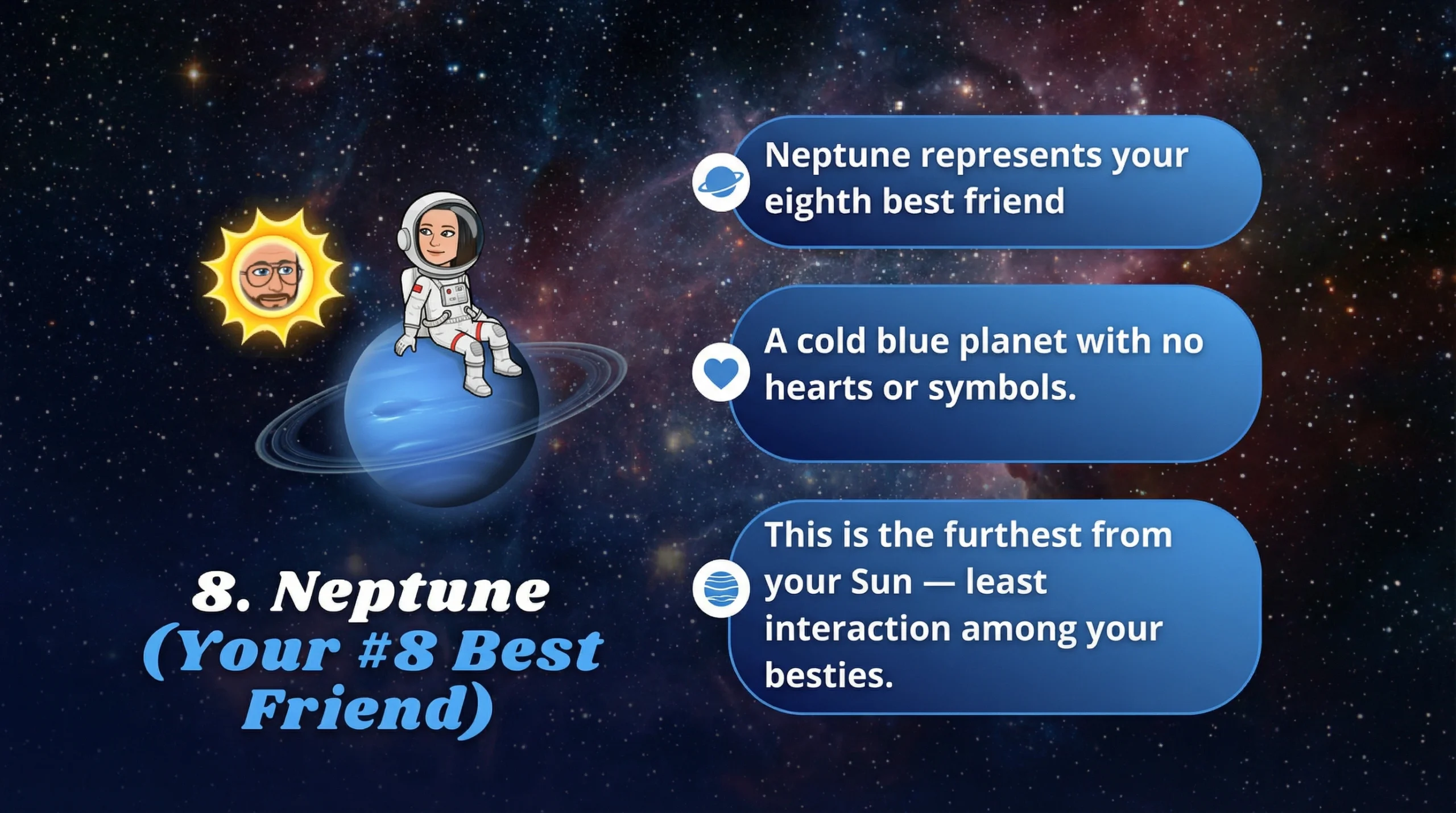
Neptune means you are their eighth Best Friend. You sit farthest from the Sun in their system. You likely interact the least among their best friends.
This can reflect rare chats or a fading streak. You might still be a real life friend. The ranking just tracks recent app behavior.

Why Snapchat Created the Planets Order?
The planetary layout makes a data driven ranking feel playful. It turns a list into a visual story with Bitmoji avatars in orbit. That design fits Gen Z and many Millennials who like quick signals.
It also encourages more in app interaction. People often snap more to move closer to the Sun. That boosts time spent, which supports the subscription value.
Why Snapchat Planets Matter to Users?
Many subscribers use it as a fast check on closeness. It can highlight who you message most right now. It also explains why someone sits on your Best Friends list.
The feature can also trigger emotions. Some users feel social pressure when they drift outward. Others treat it like a fun, harmless indicator.
Fun and Visual
The space theme adds charm to routine messaging. Cosmic looking screenshots spread fast on TikTok and Instagram. Bitmojis floating around planets make the idea easy to grasp.
It also helps people remember ranks without reading numbers. A quick glance tells you where you stand. That simplicity is part of its appeal.
Competitive
The model can feel like a game. Some users chase Mercury by snapping more and replying faster. Others compare changes week to week.
That competition can increase engagement. It can also lead to overthinking. The best use stays light and balanced.
Private Yet Personal
The ranking is not broadcast to everyone. It appears inside profiles, not on a public feed. That keeps it more personal than open leaderboards.
Still, it can feel intense because it looks official. A planet shift can seem like a statement. In truth, it reflects recent interactions and timing.
How to See Your Planet in a Friend’s Solar System?
You need a subscription and the feature turned on. Then you check a friend’s profile where the Best Friends badge appears. If you both qualify, you can tap to view the solar layout.
You will only see your position in that friend’s system. You will not see their full ranking list with names. The design focuses on your relationship, not their whole circle.
Step by Step Instructions:
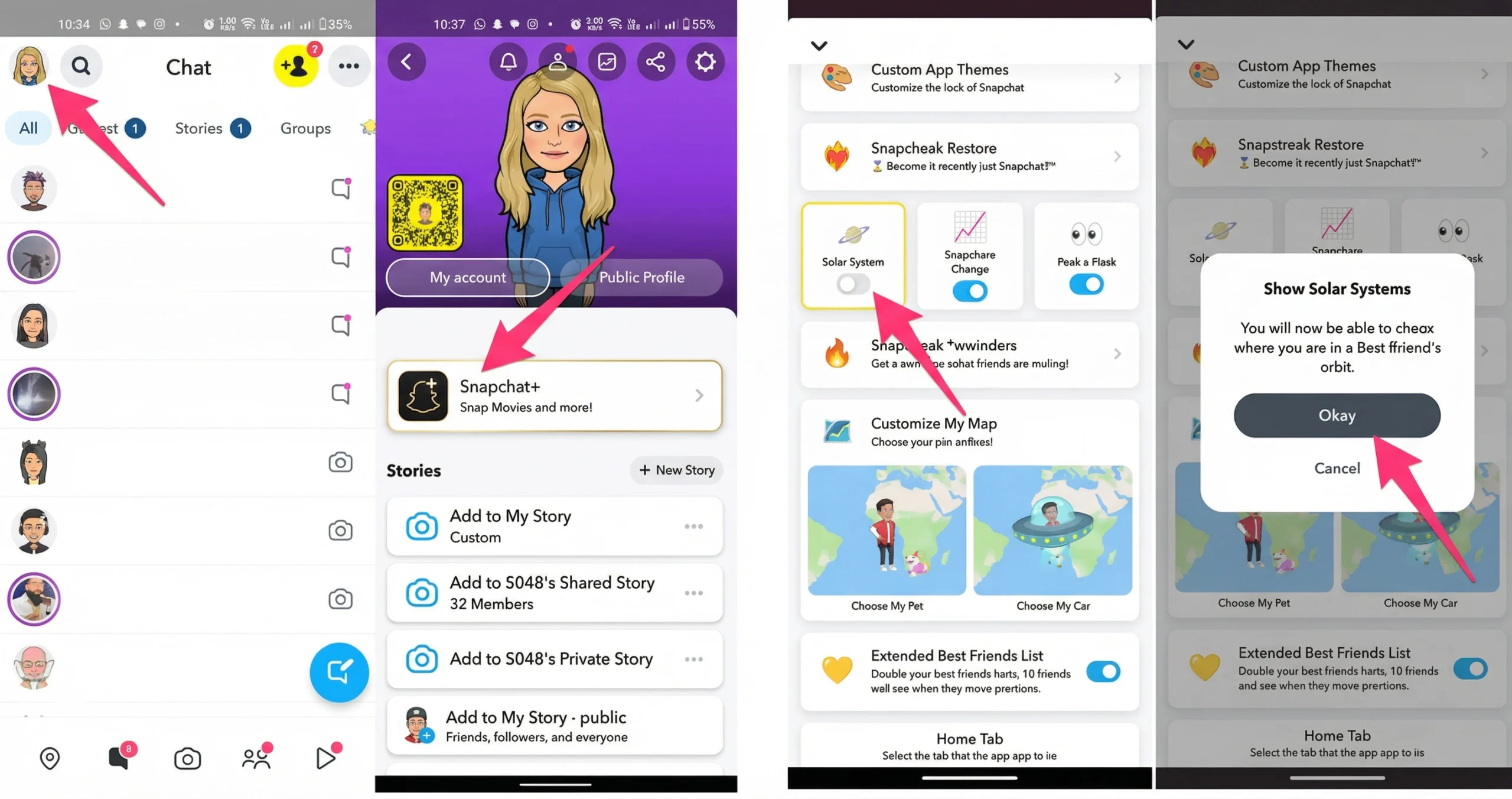
Open the app and tap your Bitmoji in the top left. Tap the Snapchat Plus banner, then open the feature management page. Find the Friend Solar System option and turn it on.
Next, open a friend’s profile from Chat or Friends. Look for the Best Friends badge with a gold ring. Tap it to see the planet that represents you.
How to Improve Your Snapchat Planet Rank?
Send direct snaps more often than group snaps. Keep chats active with quick replies and real conversation. Build and maintain Snapstreaks when it feels natural.
Engage with Stories in a genuine way. Reply to posts, react, or send a short message. Calls can help too, but steady daily actions matter most.
Snapchat Plus and the Planets Feature
The planets view is one part of a larger paid bundle. Snapchat launched the subscription in 2022 and keeps adding perks. Many features focus on personalization, visibility, and early access.
The plan targets frequent users who want extra control. It also appeals to people who like status badges and custom styling. The planet system became popular because it feels social and visual.
What Is Snapchat and Snapchat Plus?
Snapchat is a messaging app built around photos and videos that disappear. It centers on close friends, quick sharing, and stories. Many users rely on it for daily chat habits.
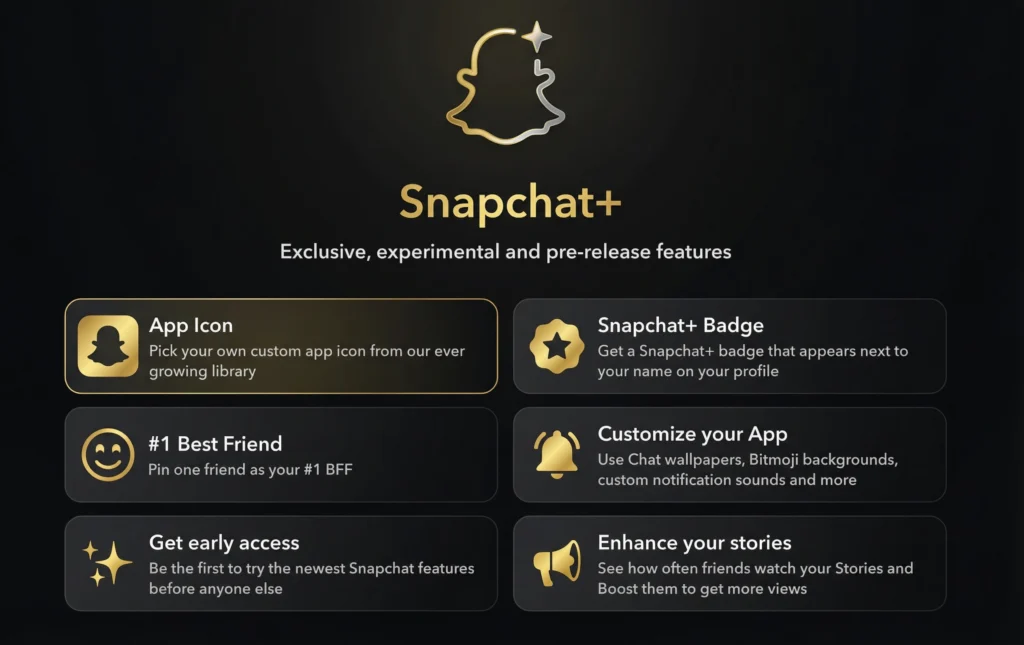
Snapchat Plus is the premium tier that adds optional tools. It does not replace the free app. It adds extra features, including the solar ranking view.
Snapchat Plus Features & Perks:
Subscribers get cosmetic upgrades like custom app icons and chat wallpapers. Some also use tools like Story Rewatch Indicator and Priority Story Replies. The set can change as the company tests updates.
Other perks include Restore Snapstreaks and Replay a Snap. Some plans mention priority support and access to experimental features. Availability can vary by device and region.
Subscription Price, Details & Availability
Pricing commonly starts near 3.99 per month in the United States, though costs can change. Some regions offer monthly, six month, and annual plans. Examples include the United Kingdom and Australia with local currency pricing.
The subscription is offered across many countries, including the United States, Canada, and India. Not every feature ships everywhere at the same time. Some users see promotions or limited tests.
How to Subscribe to Snapchat Plus?
Open Snapchat and tap your profile icon. Tap the Snapchat Plus banner to view plans. Choose a monthly, six month, or annual option.
Complete payment through the App Store or Google Play. After activation, return to the Plus menu to manage features. You can cancel anytime through your store settings.
How to Enable the Snapchat Friend Solar System?
Go to your profile, then open the Snapchat Plus menu. Scroll to the feature list and open the management page. Turn on the toggle for Friend Solar System.
After you enable it, check a Friendship Profile for the Best Friends badge. If you and the friend qualify, the planet view appears. If not, you may need more shared interaction. You may download snapchat planet from here.
How to Disable the Snapchat Friend Solar System?
Open your profile and return to the Snapchat Plus feature list. Find the Friend Solar System setting. Switch the toggle off.
Disabling it hides the planet view across profiles. Your Best Friends list still exists in the background. You can turn it back on anytime.
Can You View Snapchat Planets Without Snapchat Plus?
The full feature is built for subscribers. Most users cannot access it on free accounts. The app keeps it behind the paywall to support the premium bundle.
Some people try to rely on screenshots from friends. That does not give you live placement or updates. Real access requires an active plan on your own account.
Possible Workarounds:
A free trial sometimes appears for first time subscribers. Trials often last about seven days, but offers vary. You must cancel before renewal to avoid charges.
Occasional promotions may appear during special events. Some users get limited tests, but it is not reliable. There is no permanent free method that works consistently.
Pros and Cons of Snapchat Planets & Snapchat Plus:
The biggest benefit is clarity. You get a fast visual of closeness and a fun way to track habits. Many users also like the extra customization and support perks.
The downside is social pressure. Gamified rankings can cause jealousy or anxiety. If it affects your mood, turning it off is the healthiest choice.
Is Snapchat Planets Good for Younger Users?
Teens may take the ranking too seriously. A planet shift can feel like rejection. That can affect self esteem and create unnecessary comparison.
Parents and younger users should discuss what it really measures. It tracks in app signals, not real friendship value. Using it as a light feature works best.
Visualizing the Snapchat Solar System (Graphic Ideas):
Use a clean orbit layout with a bright Sun in the center. Place Bitmojis near each planet to show position. Keep colors distinct so ranks feel obvious.
Cosmic backgrounds work well for social posts and guides. Add simple labels like Mercury equals first friend. Avoid showing real names to protect privacy.
Snapchat Planets: Complete Video Guide:
A strong video should start with where to find the toggle. Show the Snapchat Plus menu, then the feature management page. Then open a friend’s profile and tap the badge.
Next, explain each planet quickly with on screen text. Include what affects ranking, like snaps, chats, and story replies. End with how to disable the feature for peace of mind.
snapchat slangs
Discover popular Snapchat slangs and meanings to understand chats, stories, and trending phrases. Learn abbreviations like IMY and HMU to communicate naturally on Snapchat. Our guide helps casual users and Snapchat pros stay updated with latest lingo.
Final Thoughts:
The planet system offers a playful way to view closeness. It turns routine stats into a simple visual story. Used lightly, it can help you stay connected.
Do not let a ranking define real relationships. The algorithm tracks app behavior, not loyalty. If it feels stressful, switch it off and enjoy chatting normally.